The Hidden Wiki: Dark Web Links (Updated November 2026)
The Hidden Wiki is a hand-kept list of .onion sites that are actually working right now. Most dark web link lists online haven’t been touched in years, so half the links are dead and a worrying number of the rest are scams copying real sites. We started this page because we got tired of that. Every section below shows when we last checked it, dead links get removed, and anything we’ve caught scamming people goes on our Scam List instead. You’ll need the Tor Browser to open these links. Before you trust any site, double-check its address, because clone sites often change just one or two characters.
Last checked: November 2026
What is the Hidden Wiki?
The Hidden Wiki is a directory of .onion websites: services that run inside the Tor network and only open in Tor Browser. The original was a community-edited wiki hosted as a Tor onion service, and its main page was a list of links to other onion sites. The earliest known mention of it dates to around 2007.
That original wiki no longer exists. It was hacked and defaced in March 2014, and after that its content was copied to many mirrors. In November 2014, during the police action known as Operation Onymous, its old address was taken offline along with many other onion sites. Today there is no single official Hidden Wiki. Lots of sites use the name, and some of them are phishing clones built to steal logins or cryptocurrency.
This page is our own hand-checked version, with dead links removed and known scams moved to our Scam List. New to Tor? Start with how to access the Hidden Wiki safely.
At first glance, the “deep web” and “dark web” may seem synonymous. Both refer to online content not indexed by search engines. However, they represent distinct digital worlds with key differences.
The deep web is much bigger than the regular Internet. It makes up 90% of everything on the Internet. It has secret networks, databases, and sites that need passwords. Most of the stuff on the deep web is okay, but it’s hidden because of technical reasons, not because it’s bad.In contrast, the dark web and the hidden wiki is intentionally concealed and accessed via anonymity tools like Tor. While facilitating criminal activities, the dark web enables free speech, journalism, and dissent in oppressive regimes. So, privacy comes at both a cost and benefit to society.
Hidden Wiki Onion Mirror
Checked: October 2026
This is the .onion address for the Hidden Wiki itself. If you’re already in Tor Browser, use it instead of the regular site, and check it character by character before you bookmark it, because fake copies with near-identical addresses are everywhere.
Hidden Wiki – zqktlwiuxaln2atnrwacl6z5gr6jo4vv2nzldx5oyzjtvqrt2tcfcvyd.onion
Commercials
- BlackMart – BlackMart – Dark Web Marketplace with built-in escrow
- Caribbean Cards – Caribbean Cards
- The Escrow – The Escrow
- Tor Shop – Multi vendor dark web marketplace
- Cardzilla – Cardzilla
- 21 Million Club – 21 Million Club
Email Providers
Checked: October 2026
Email you can use over Tor. A couple are big, established providers with an onion address. Most are small, volunteer-run services that can vanish overnight, so don’t use them for anything you can’t afford to lose, and use PGP if the content matters.
- ProtonMail – Swiss encrypted email (now branded Proton Mail); this is its official onion address.
- Alt Address – anonymous email service reachable over Tor.
- secMail – simple webmail, no personal details needed to sign up.
- TorBox – one of the older Tor-only mail services.
- Elude.in – anonymous email with a Tor address.
- adunanza OnionMail Server – an OnionMail server run by the Italian Adunanza community.
- tempmail + – throwaway inbox for one-off sign-ups.
- Onion Mail – free email service built for Tor users.
- DNMX – free mail service popular with Tor users; works on Tor and the regular web.
- Mail2Tor – free webmail that only runs as an onion site.
Forums / Social / Chat
Checked: October 2026
Places to talk: forums, chat, Q&A and a few social sites. Forums get cloned a lot, so cross-check an address with a second source before you make an account, and never reuse a password from anywhere else.
- dread – Reddit-style forum and one of the busiest discussion sites on Tor.
- Deutschland im Deep Web Forum – German-language discussion forum.
- Hidden Answers – Q&A site, similar to a dark-web Quora.
- SuprBay – the official forum for The Pirate Bay community.
- Rutor – Russian-language forum.
- Endchan – anonymous imageboard with an onion mirror.
- Raddle – left-leaning, Reddit-style community.
- MadIRC – IRC chat network you can join over Tor.
- The Stock Insiders – forum for stock and trading talk.
- Facebook – Facebook’s official onion site (it’s been running since 2014).
- Ableonion – chat and Q&A community.
- Adamant – decentralized, blockchain-based messenger.
- HackTown – hacking and security forum.
Onion Hosting / Domain Services / File Sharing
Checked: October 2026
If you want your own .onion site, need a domain or server without handing over your life story, or just want to move files privately, start here.
- Freedom Hosting Reloaded – free onion hosting. (Not the original Freedom Hosting that was taken down in 2013.)
- SporeStack – servers you pay for with crypto, no account needed.
- Ablative Hosting – hosting for onion and regular sites.
- BlackCloud – anonymous file storage.
- ZeroBin – pastebin where your text is encrypted in your browser, so the server can’t read it.
- Keybase – Keybase’s onion site, for encrypted chat and file sharing.
- SecureDrop – home of SecureDrop, the open-source system newsrooms use to take anonymous tips.
- OnionShare – home of OnionShare, a free app for sharing files, hosting a site or chatting over Tor.
- Njalla – privacy-focused domain registrar and VPS host.
- OnionLand Hosting – onion hosting service.
- PRIVEX – privacy-focused VPS and hosting that takes crypto.
VPN
Checked: October 2026
VPN providers with their own onion sites, so you can read up and sign up without leaving Tor. All three take cryptocurrency.
- Mullvad VPN – Swedish VPN; you get a random account number, no email or name needed.
- cryptostorm – VPN that uses prepaid tokens instead of user accounts.
- AirVPN – VPN run by privacy activists in Italy.
Whistleblowing / News
Checked: October 2026
Real news outlets and tip lines with official onion addresses. Many of these run SecureDrop or something like it, so sources can send documents without revealing who they are.
- ProPublica – US nonprofit investigative newsroom; one of the first big outlets to launch an onion site (2016).
- The Guardian – SecureDrop: send documents to Guardian journalists anonymously.
- AfriLEAKS – secure tip platform for investigative journalists in Africa.
- The Intercept – The Intercept’s onion site for sending tips.
- The CIA – the CIA’s official onion site (launched 2019).
- FLASHLIGHT – FLASHLIGHT
- VOA – Voice of America’s onion site.
- New York Times – the NYT’s official onion site.
- BBC – BBC News’ onion site, set up for readers in countries that block it.
- bellingcat – open-source investigations group.
- The Tor Times – news about Tor and privacy.
- RadioFreeEurope RadioLiberty – RFE/RL’s onion site, covering countries with heavy press restrictions.
- DW News – Germany’s international broadcaster.
Non English Websites
Checked: October 2026
A few sites for people who’d rather not read English.
- Cebulka – Polish-language forum.
- DimensionX – another Polish-language forum.
- XMundo – Turkish-language forum.
- Germania – German-language forum.
- Biblioth̬que РFrench-language e-book library.
Others
Checked: October 2026
Everything that didn’t fit above: libraries, learning, tools for checking your own setup, and a few official sites.
- RelateList – RelateList
- Hacker Game – hacking challenge site.
- Tech Learning Collective – hands-on security and tech skills training.
- PsychonautWiki – community wiki on psychoactive substances, focused on harm reduction.
- NCIDE Task Force – NCIDE Task Force
- National Police of the Netherlands – official onion site of the Dutch police.
- Check your anonymity online – shows what your browser gives away; handy for testing your Tor setup.
- Beneath VT – photos and write-ups from exploring the tunnels under Virginia Tech.
- Go Beyond – Go Beyond
- Deep Web Radio – internet radio streamed over Tor.
- DNM Bible – long-form safety guide originally written by the darknet market community.
- xmrguide – guide to using Monero privately.
- JUST ANOTHER LIBRARY – e-book library.
- Bible4u – Bible texts and Christian resources.
- Zlibrary – Z-Library’s onion login page, a huge e-book library.
- Comic Book Library – comics archive.
- The Secret Story Archive – collection of user-submitted stories.
- Tor Project – the people who make Tor and Tor Browser.
- riseup – activist-run email and VPN provider.
- Debian – the Debian Linux project.
- Tor Metrics – live stats on the Tor network.
Hidden Wiki guides
New here? Start with these.
- How to access the Hidden Wiki safely
- Tor Browser setup guide for the Hidden Wiki
- The deep web and the Hidden Wiki explained
- Silk Road: the dark web’s most famous marketplace
- Dark web stories from the Hidden Wiki
We have listed down active dark web links. Please bookmark our site to access the dark web links. We are now supporting v3 onion links in our above dark web lists.
Disclaimer:Â We unequivocally disapprove of and do not endorse or encourage illegal activity. The information presented on our website is solely intended for informational purposes. Any actions taken by the reader based on the information provided on our site are entirely at their discretion and risk.
Contact us for adding or reporting an onion site.
Please take a minute and check our scam list to learn more about dark web scammers.
Is The Hidden Wiki Illegal?
While accessing Hidden Wiki is not illegal in many countries, doing illegal work on the wiki is considered a crime.
How did it start?
The original Hidden Wiki was a community-edited directory of .onion sites on Tor, and it’s been taken down, copied and re-hosted so many times since that lots of unrelated sites now use the name. See What is the Hidden Wiki? above for the short history, or our longer piece on how the Hidden Wiki evolved.
The Surface Web vs. The Deep Web vs. The Hidden Wiki
The Internet is often compared to an iceberg – the small visible tip representing the surface web and the vast hidden wiki bulk representing the deep web. Understanding the distinctions between these two layers is key to unraveling the mysteries beneath.
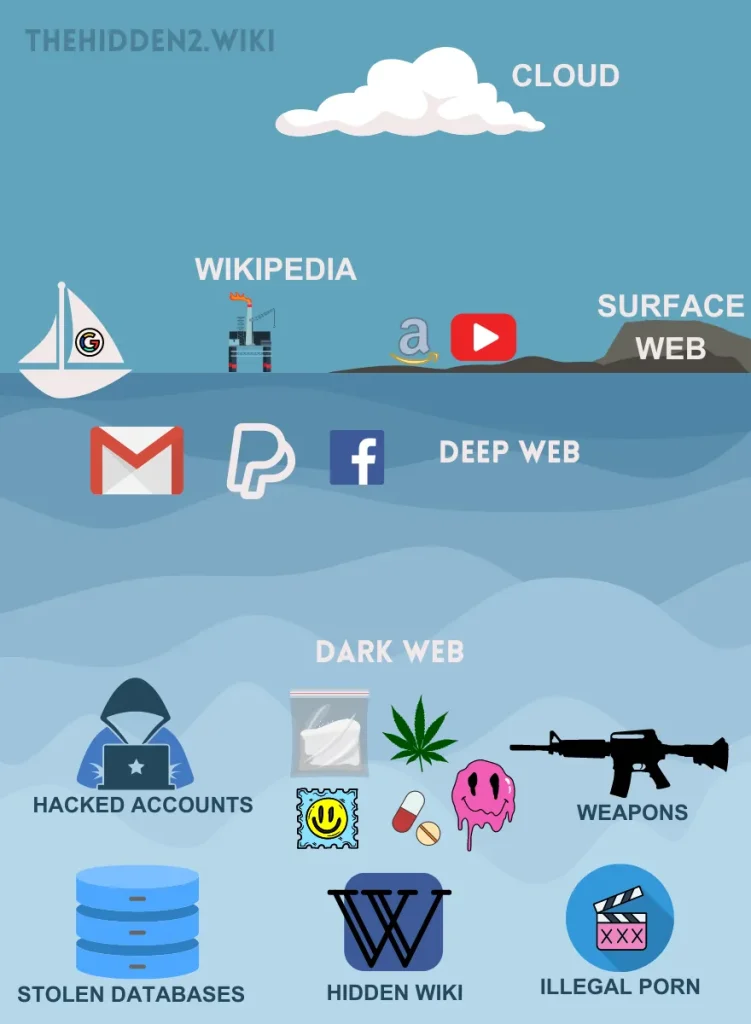
The Surface Web: The Public Face of the Internet
The surface web is the publicly accessible Internet indexed by search engines like Google and crawled by bots. It contains popular sites we visit for information, communication, and entertainment.
Content on the surface web is readily found through searches and direct links. It’s only a small part of the Internet, yet it holds most of what the average user looks for.
What is the Surface Web?
The surface web refers to any internet content indexed by search engines and readily accessible through everyday browsing. This includes major sites like Google, Amazon, Wikipedia, YouTube, Facebook, CNN, and New York Times.
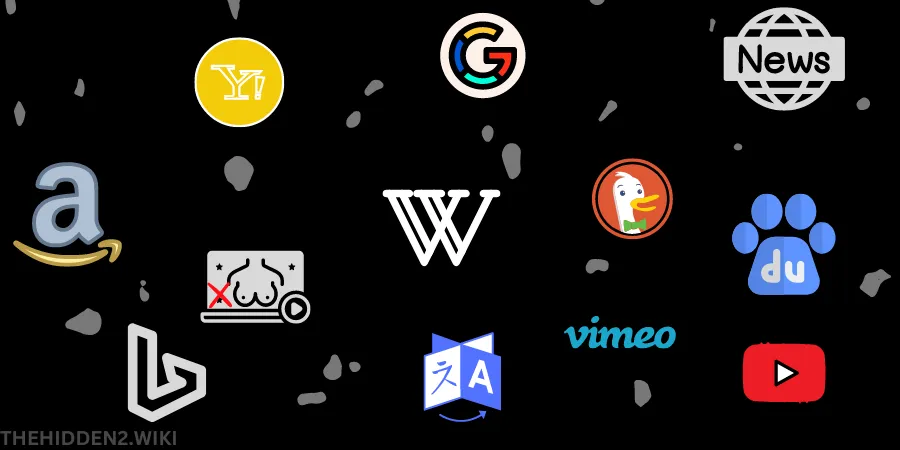
Pages from these and millions of other openly available sites are crawled, categorized, and served in standard search engine results. The surface web is conveniently accessible and searched, representing just the tip of the internet iceberg.
The Deep Web: The Hidden 90%
The deep web refers to online content not indexed by conventional search engines like Google, making it obscured and hard to access. While not intentionally hidden, deep web content is buried due to technical barriers.
The deep web is vastly more significant than the surface, with legitimate functions and potential for illegal misuse. It includes anything behind logins, paywalls, security layers, or dynamically loaded pages and databases.
What is the Deep Web?
The deep web encompasses informational content online that is not discoverable by standard search engines. For various technical reasons, this content is not accessible to the bots and spiders that index the surface web.

Examples of Deep Web Content
Some examples of deep web content include password-protected sites, private networks, encrypted databases, paywalled sites, and pages dynamically loaded from databases.
Specific cases include online banking, medical records, proprietary academic research, subscription news sites, corporate intranets, chat room conversations, and ecommerce transactions.
Significance of the Deep Web
The deep web is far larger than the surface web. It has legitimate functions but also enables nefarious activities. Anonymity and encryption make the deep web ripe for criminal exploitation.

Exploring the Mysterious Dark Web Hidden Wiki
The dark web represents a cryptic, concealed corner of the Internet associated with anonymity and criminality. Accessible only through encrypted software, the hidden wiki lies within the deep web, intentionally hidden from conventional access.
While comprising a fraction of internet content, the hidden wiki’s association with illegal activities looms large in the public imagination. However, it also enables positive political and social discourse beyond surveillance. Understanding the hidden wiki on the dark web requires examining its hidden technical infrastructure and sorting truth from myth.
The dark web refers to networks and sites intentionally hidden from search engines and accessible only via encrypted browsers like Tor. This anonymity enables criminal trade in drugs, hacking, pornography, and more to flourish out of sight.
However, the hidden wiki also supports dissent speech and journalism through secrecy. Separating fact from myth helps weigh the implications of this cryptic cyber realm.
What is the Dark Web?
The dark web is a small network of hidden sites accessible only through encrypted software like Tor or I2P. These tools mask IP addresses and identities, enabling anonymous communication and commerce. The dark web is a tiny fraction of the Internet, yet it captures public fascination.
Accessing the Dark Web Hidden Wiki
The primary way to access the dark web hidden wiki is through The Onion Router (Tor), free software that directs traffic through randomized nodes to hide location. Tor browser allows anonymous communication and commerce beyond surveillance. Other tools like I2P and Freenet provide encryption but are rare.
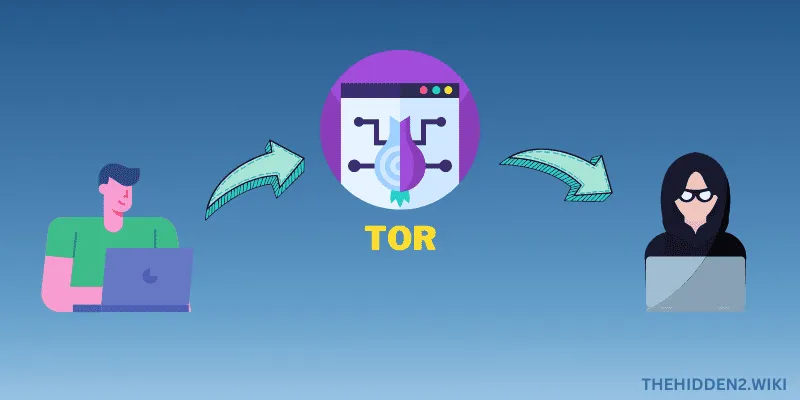
Anonymity and Criminality
Anonymity cuts both ways. It’s why illegal markets and scams exist on Tor, and it’s also why journalists, activists and people living under censorship rely on it.
Myths and Realities of the Hidden Wiki Dark Web
Much public fear about the hidden wiki on the dark web is exaggerated. Most internet users will never access or witness its unsavory elements. However, understanding its true capabilities provides a perspective on online privacy, speech, and security.
Perceived Size vs. Reality
Media depictions dramatically overstate the scope of the hidden wiki on the dark web, fueling misconceptions. It comprises only a sliver of overall internet activity, with limited impact on average users. But criminal elements do persist.
Hidden Wiki is Not Entirely Evil
While the hidden wiki on the dark web does enable crime, it also supports free speech, dissent, and journalism. Its privacy empowers both righteous and unethical causes. Understanding these nuances dispels myths and grounds the facts.
The dark web’s hidden wiki provides perspective on online anonymity. Encrypted networks enable criminality to spread but also shelter unspoken voices. Sifting fact from myth aids the debate between privacy and oversight online.
Staying Safe and Anonymous on the Dark Web and The Hidden Wiki
The hidden wiki on the dark web refers to a collection of websites and networks that exist on encrypted, anonymous layers of the Internet not indexed by standard search engines. Unlike the mainstream Internet, sites on the dark web often have no identifiable owners and users cannot be easily traced. This enables both legal and illegal activities to be carried out anonymously.
Some legitimate reasons people browse the hidden wiki include accessing whistleblower information, avoiding censorship, sharing sensitive political ideas or conducting financial transactions anonymously. However, the hidden wiki’s anonymity also welcomes many risks. Illicit marketplaces sell illegal drugs, weapons, malware and stolen data. Fraudsters carry out financial scams and identity theft. The content is largely unmoderated compared to the open Internet.
Despite these dangers, law-abiding citizens can access the hidden wiki on the dark web safely. The key is taking proper cybersecurity precautions. Anonymity tools like The Onion Router (Tor) and virtual private networks (VPNs) encrypt traffic and obscure IP addresses to protect identities. Avoiding downloads, using strong passwords, dealing only with reputable sites, and buying goods with anonymized payment methods also limit risk exposure.
With the right preparation, those who access the hidden wiki for legitimate interests can greatly reduce their risks. However, the only way to stay completely safe is to avoid the hidden wiki or the dark web altogether, especially when seeking illegal goods or content.Â
Use Anonymous Browsing Tools like VPN to Conceal Your Identity on the Hidden Wiki
The first rule of staying safe on the dark web or the hidden wiki is using the right browsing tools to access it anonymously. Two essential tools are The Onion Router (Tor) browser and virtual private networks (VPNs).
The Tor browser routes traffic through multiple encrypted nodes in its network, making it extremely difficult to trace activity back to your IP address or location. VPNs also encrypt your traffic and mask your true IP address behind the VPN server’s IP.
When choosing a VPN, look for providers that accept anonymous payment methods, don’t keep activity logs, and have a strict no logs policy. For added security, use a VPN in conjunction with Tor.
We recommend NordVPN, for safeguarding your online privacy and delivering lightning-fast, secure internet access. Don’t miss this fantastic promotion to experience the best in online security!

Research Provider Reputations
When selecting any anonymity service, thoroughly research providers’ reputations and claims. Look for transparency reports, policy audits by third parties, and evidence of strong encryption levels. Avoid providers based in countries with lax privacy laws and others.
Keep Software Updated
Always keep anonymity software like Tor, VPNs, and antivirus programs updated to their latest versions. Updates patch security vulnerabilities that could compromise anonymity. Enable auto-updates where possible. Do manual updates otherwise.
Using robust anonymity tools is non-negotiable for obscuring your identity and location when accessing the hidden wiki. Take time to identify and implement the most secure, reputable options.
Hidden Wiki FAQ
What is the Hidden Wiki?
It’s a directory of .onion sites on the Tor network. The original community-edited wiki is gone. Today many independent sites, including this one, keep their own Hidden Wiki-style lists.
Is there an official Hidden Wiki?
No. The original was hacked in 2014 and its old address was shut down later that year, and since then there has been no single official version. Be wary of any site that claims to be “the real†one, especially if it asks for money or a login.
Is it legal to visit the Hidden Wiki?
In most countries, using Tor and reading a link directory is legal. What you do or buy on the sites it links to may not be. Laws differ by country, so check yours. This isn’t legal advice.
How do I open .onion links?
Install Tor Browser from the official site, torproject.org, and paste the .onion address into it. Ordinary browsers can’t open .onion sites.
Why don’t some old Hidden Wiki links work?
Tor stopped supporting old 16-character (v2) onion addresses in October 2021, so those links can’t load anymore. Current (v3) addresses are 56 characters long. Services also go offline or move without notice, which is why we re-check this list.
How can I spot a fake or phishing onion site?
Compare the full address character by character with the one on the service’s official website, bookmark addresses you’ve checked, and never send cryptocurrency to a site you found only through a link list. Known scams are on our Scam List.
Do I need a VPN to use Tor?
No. Tor Browser works on its own. Some people add a VPN to hide Tor use from their internet provider, but it’s optional and doesn’t replace safe browsing habits.
Conclusion
In summary, citizens who access the dark web for legitimate purposes can take concrete steps to protect their security and anonymity in this high-risk environment. Using robust browsing tools, exercising extreme caution with downloads and ads, implementing strong authentication, only using reputable sites, anonymizing payments, and avoiding personal info leaks will dramatically reduce exposure to cyber criminals.Â
Check our blog to learn more about Tor, VPN, Silk road and much more.